

오늘과 이번 주를 한눈에Today and this week at a glance
비즈니스 이름과 ⋯ 메뉴Business name and the ⋯ menu
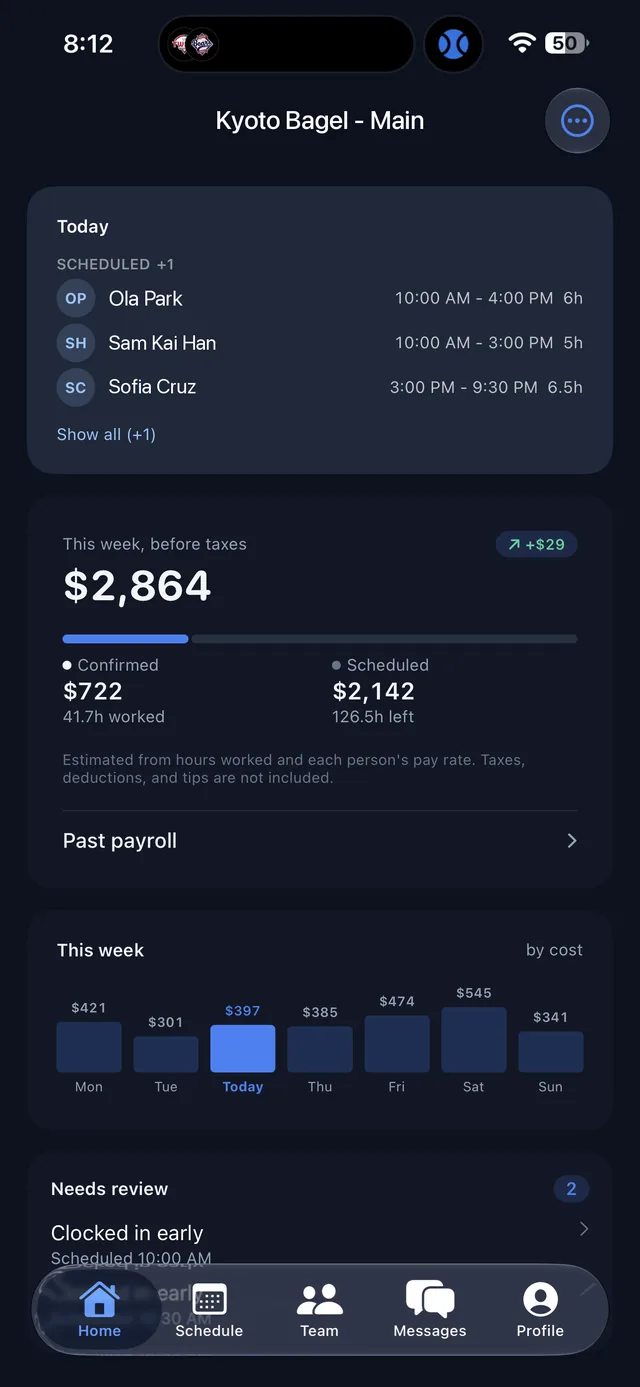
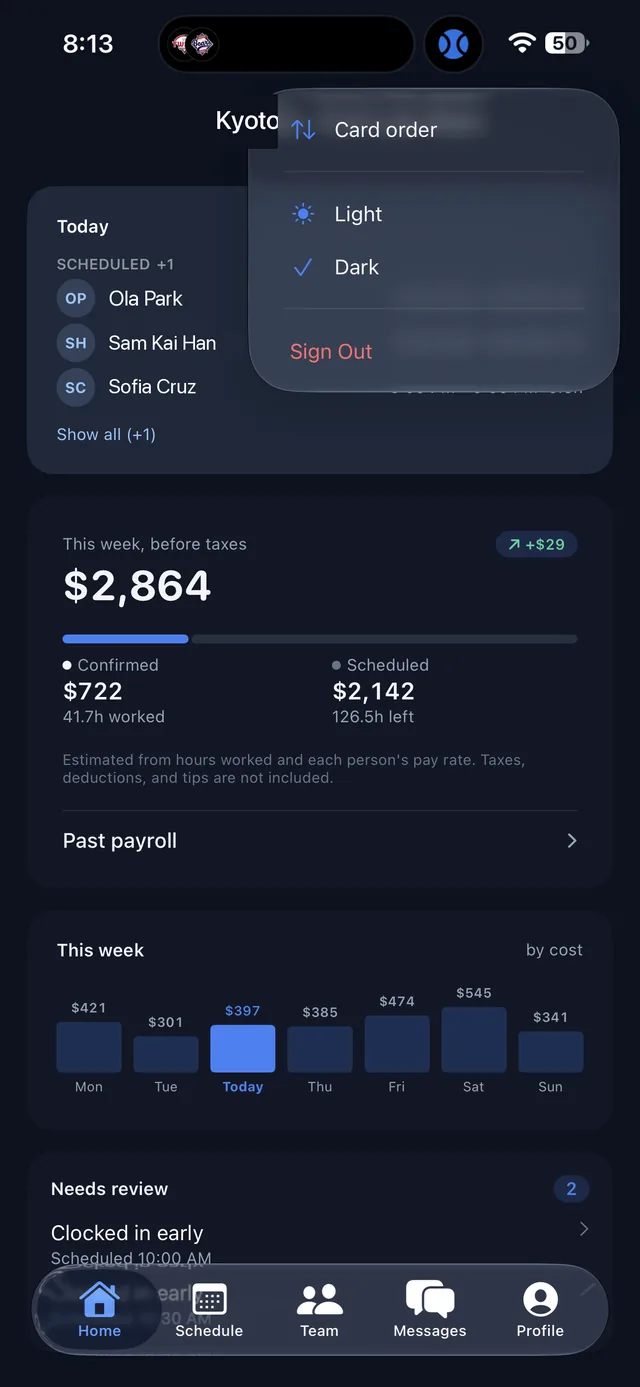
상단에 지금 보고 있는 비즈니스 이름이 표시됩니다. 여러 비즈니스의 관리자라면 이 이름을 눌러 다른 비즈니스로 바꿀 수 있고, 고르는 즉시 모든 탭의 데이터가 그 비즈니스로 바뀝니다. 오른쪽 ⋯ 버튼을 누르면 카드 순서 변경, 라이트/다크 모드, 로그아웃 메뉴가 열립니다.The business you are viewing is shown at the top. If you manage more than one, tap the name to switch, and every tab updates to that business right away. The ⋯ button opens card order, light/dark mode, and sign out.
Today
오늘 예정된 사람과 근무 시간이 상태별로 나뉘어 보입니다. 예정(Scheduled), 근무 중, 퇴근 완료를 구분해 주고, Show all을 누르면 접힌 인원까지 모두 펼쳐집니다.Who is scheduled today, with their shift times, grouped by status: scheduled, working, and done. Tap Show all to expand the full list.
This week, before taxes Admin
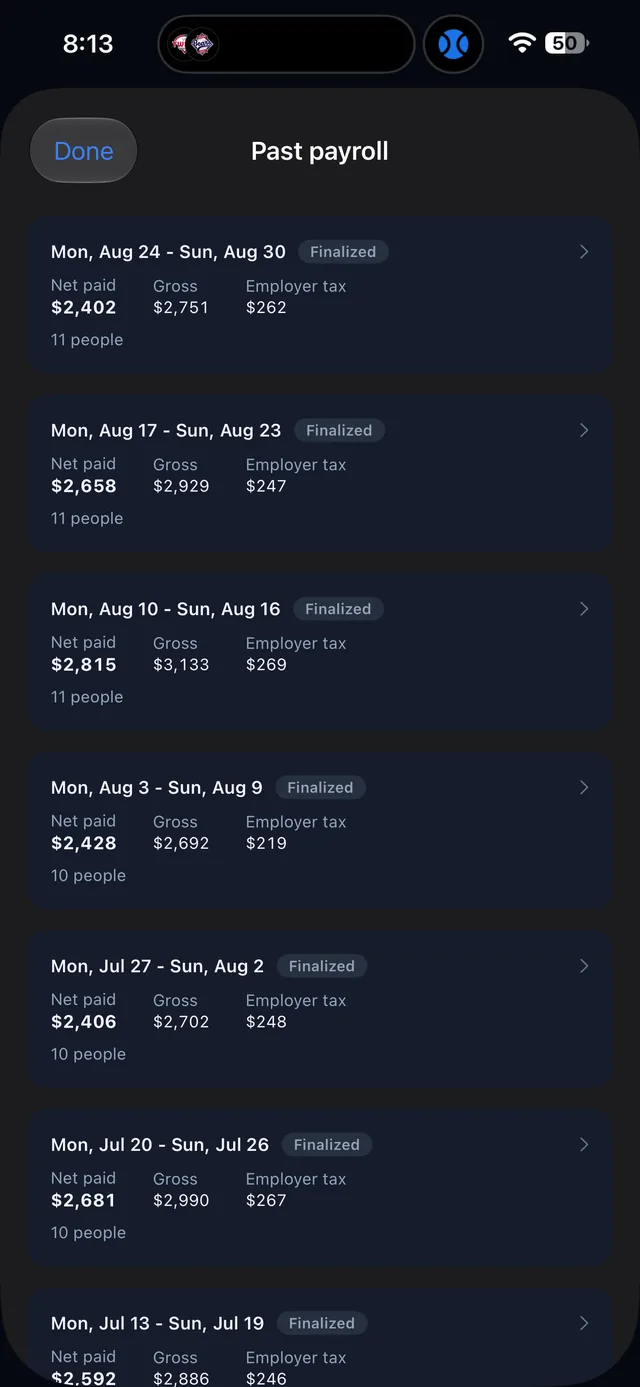
이번 주 예상 인건비(세전)입니다. Confirmed는 실제로 찍힌 근무 시간 기준, Scheduled는 아직 남아 있는 예정 근무 기준입니다. 세금, 공제, 팁은 포함되지 않습니다. 아래 Past payroll을 누르면 지난 주들의 급여 내역으로 이동합니다.Estimated labor cost for the week before taxes. Confirmed is based on hours already clocked, Scheduled on shifts still to come. Taxes, deductions, and tips are not included. Past payroll opens previous weeks.
This week · by cost Admin
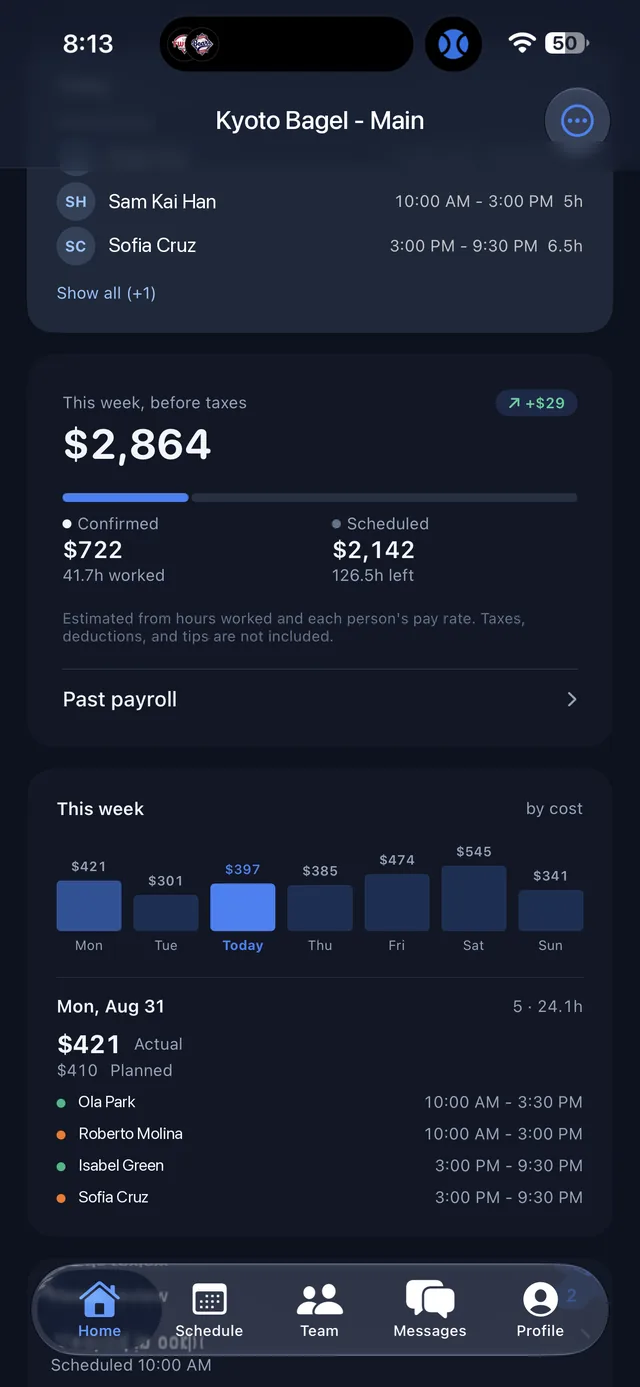
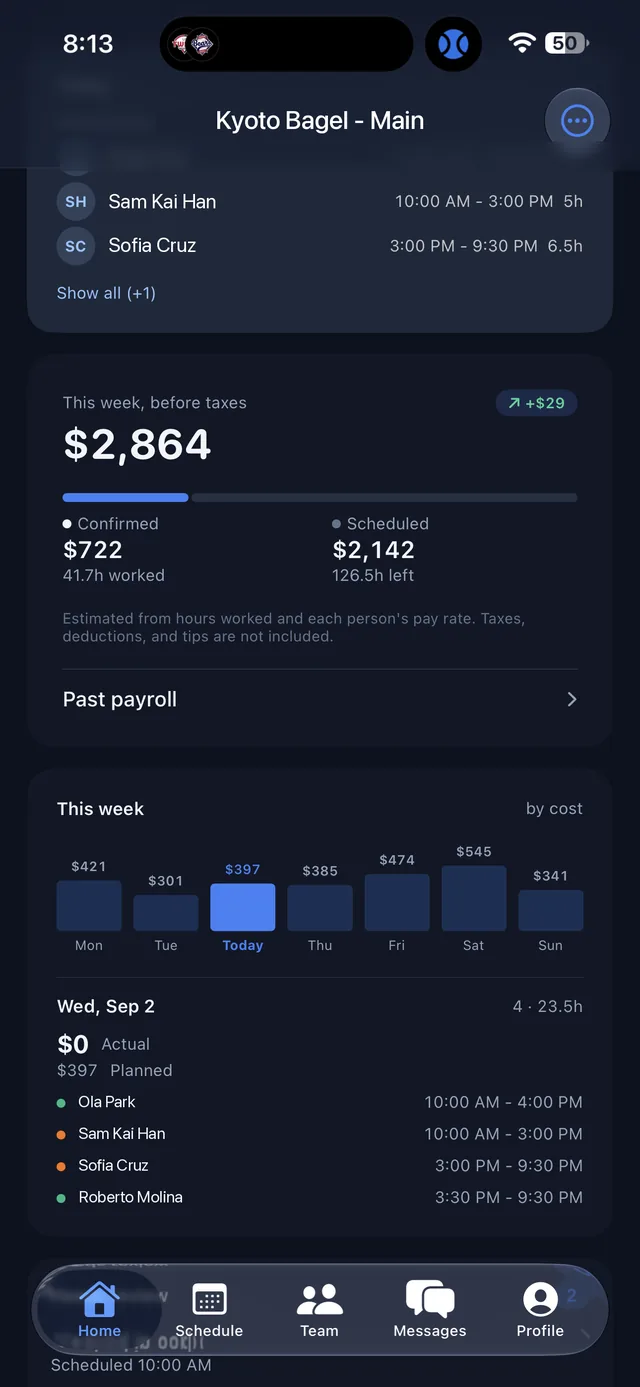
요일별 인건비 막대 그래프입니다. 오늘이 강조되어 있고, 요일을 누르면 그날의 Actual(실제)과 Planned(계획) 금액, 그리고 근무자 목록이 아래에 펼쳐집니다. Manager 권한에서는 인건비 금액이 표시되지 않습니다.A bar per day for labor cost, with today highlighted. Tap a day to see its Actual and Planned amounts and who worked. Labor cost amounts are not shown to managers.
Needs review
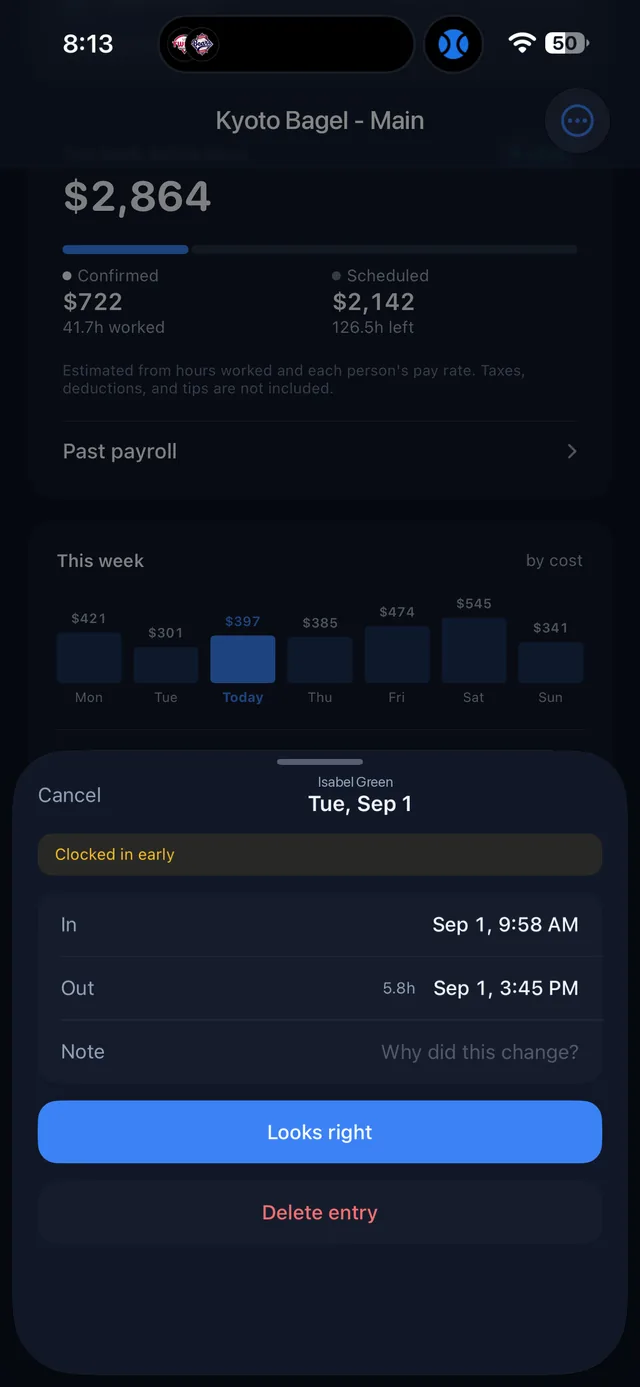
확인이 필요한 출퇴근 기록의 개수와 목록입니다. 일찍 출근했거나 늦게 퇴근한 기록처럼 예정과 다른 항목이 여기에 모입니다. 항목을 누르면 바로 확인 화면이 열립니다.Time entries that need a look, such as early clock-ins or late clock-outs. Tap an entry to open it.
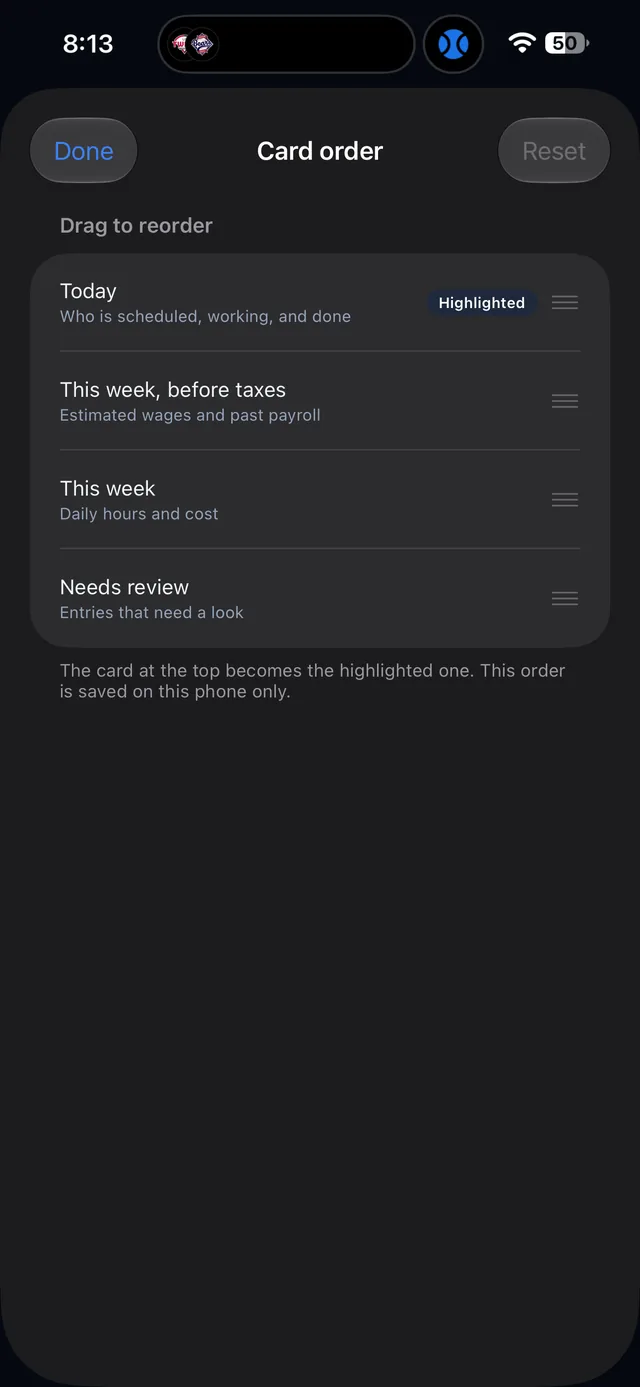
카드 순서 바꾸기Card order
⋯ 메뉴의 Card order에서 홈 카드를 드래그해 순서를 바꿀 수 있습니다. 맨 위에 둔 카드가 강조 표시되며, 이 순서는 해당 휴대폰에만 저장됩니다.Card order in the ⋯ menu lets you drag the home cards into any order. The top card becomes the highlighted one, and the order is saved on that phone only.
요일을 누르면 그날의 상세가 열립니다Tap a day for its detail
지난 요일은 Actual(실제 발생한 인건비)과 Planned(계획)을 나란히 보여 주고, 오늘과 앞으로의 요일은 계획 금액과 예정 근무자를 보여 줍니다. 이름 앞의 색 점은 역할 구분입니다.Past days show Actual next to Planned. Today and upcoming days show the planned amount and who is scheduled. The colored dot before each name marks the role.